
Inside Arc
A walk through a sample case. What it looks like when discovery shows up, what Arc does with it, and how the lawyer asks it questions.
Drag in the box. Walk away.
Arc accepts whatever shape discovery shows up in — PDFs, transcripts, body-cam video, dash-cam audio, photo evidence. Every page is OCR'd, every audio file transcribed, every video characterized. Cost and progress are visible in real time, not at the end of an invoice cycle.
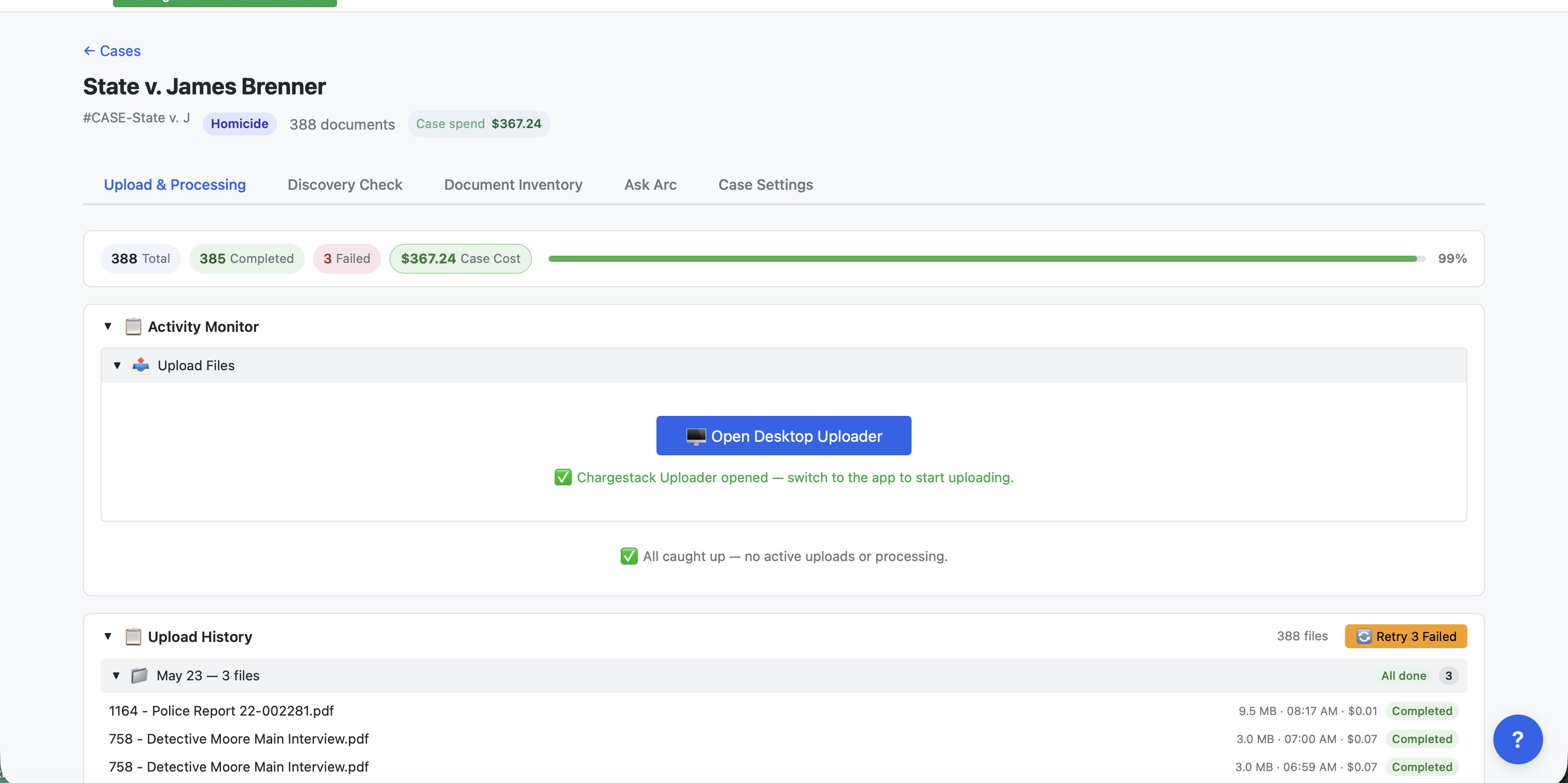
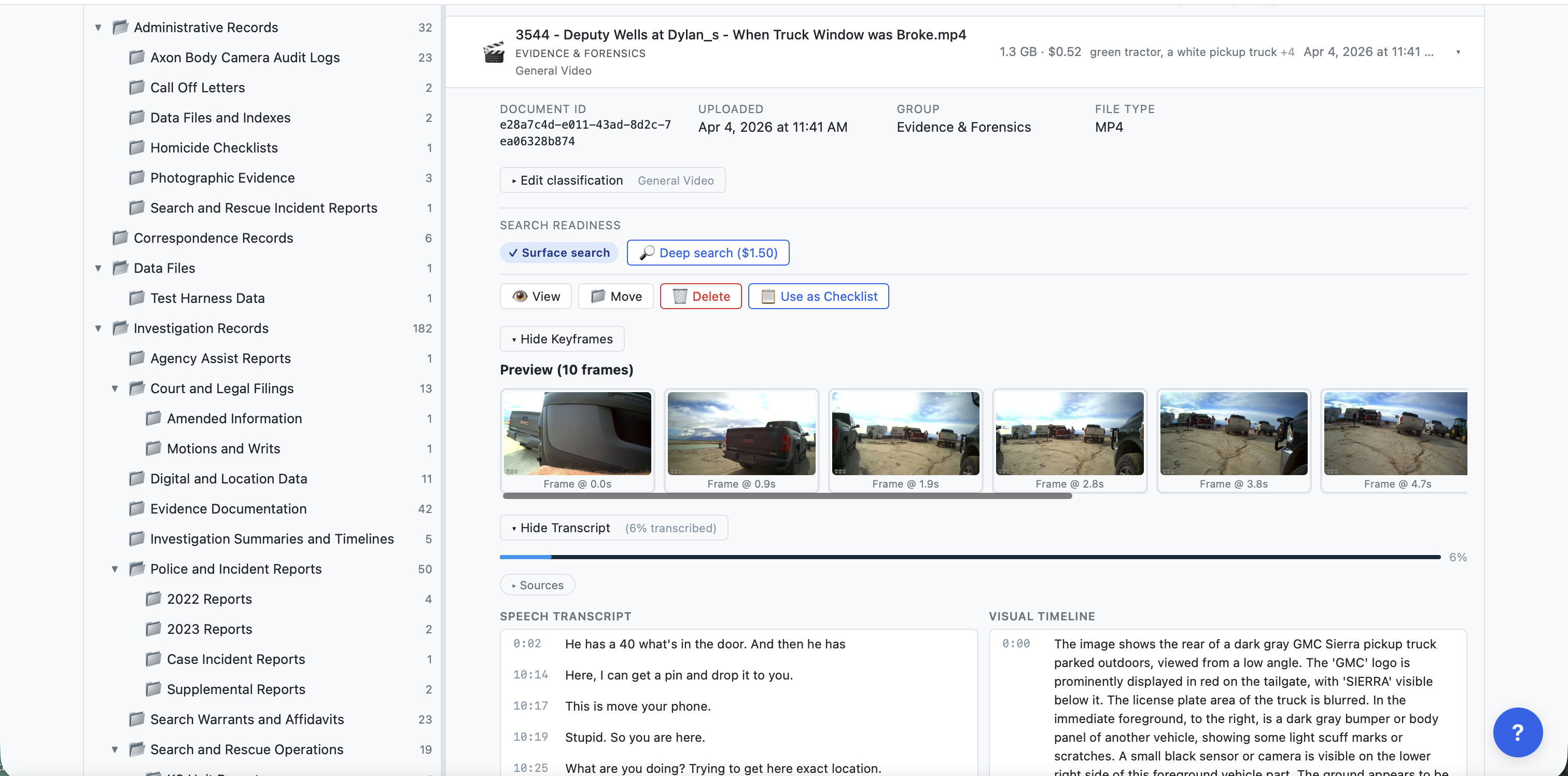
Every document, sorted by what it actually is.
Arc classifies each file, extracts the entities it mentions, and slots it into a workspace structured for how lawyers actually work a case. Open a folder and find every document featuring that person, that location, that piece of evidence.
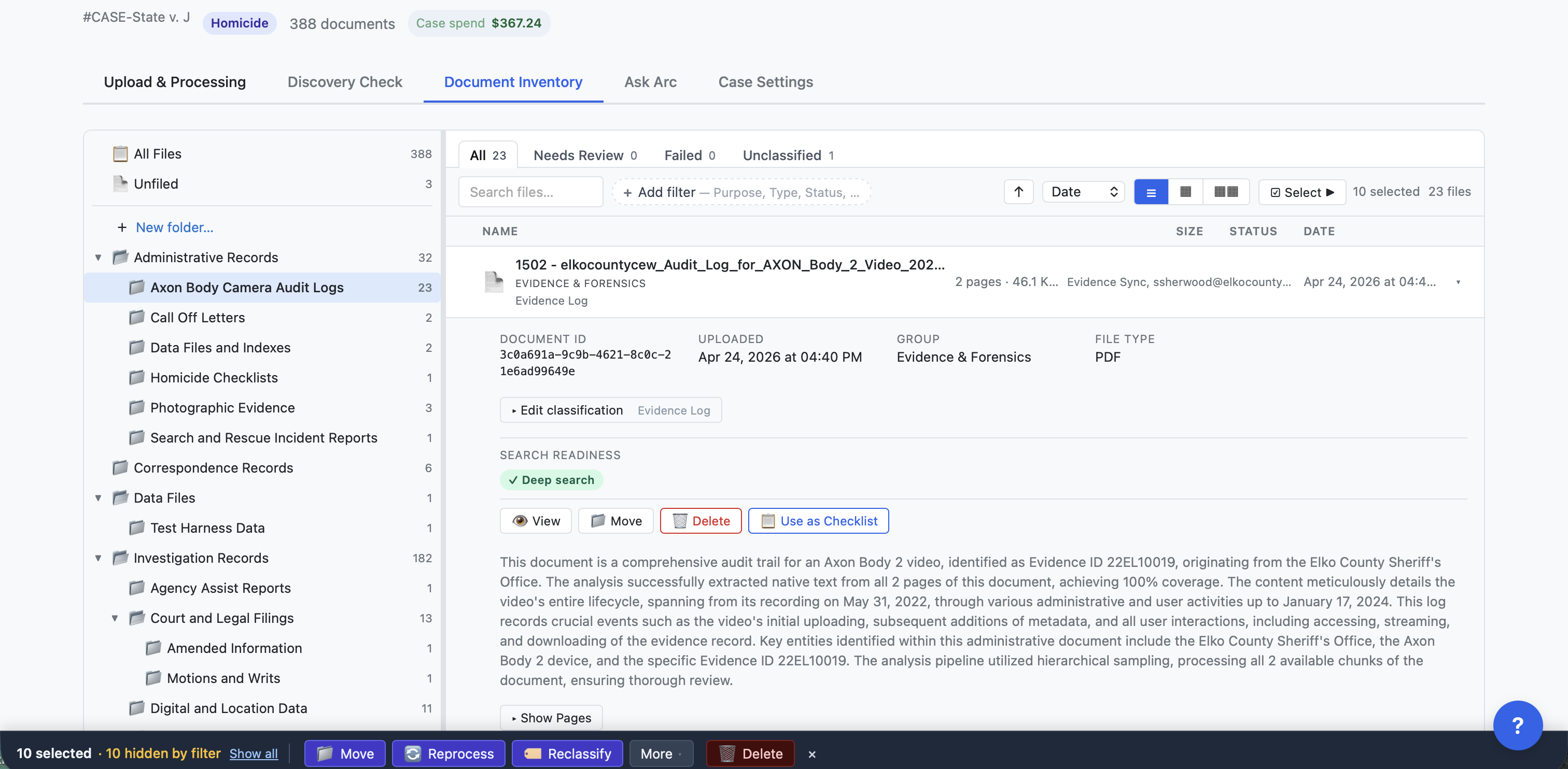
One case. Many ways to look at it.
The same file might matter as evidence today and as a witness statement tomorrow. Ask Arc to regroup the case by document role, by party or witness, by timeline phase, or by source — and it proposes a folder structure with coverage stats before you commit to the change.
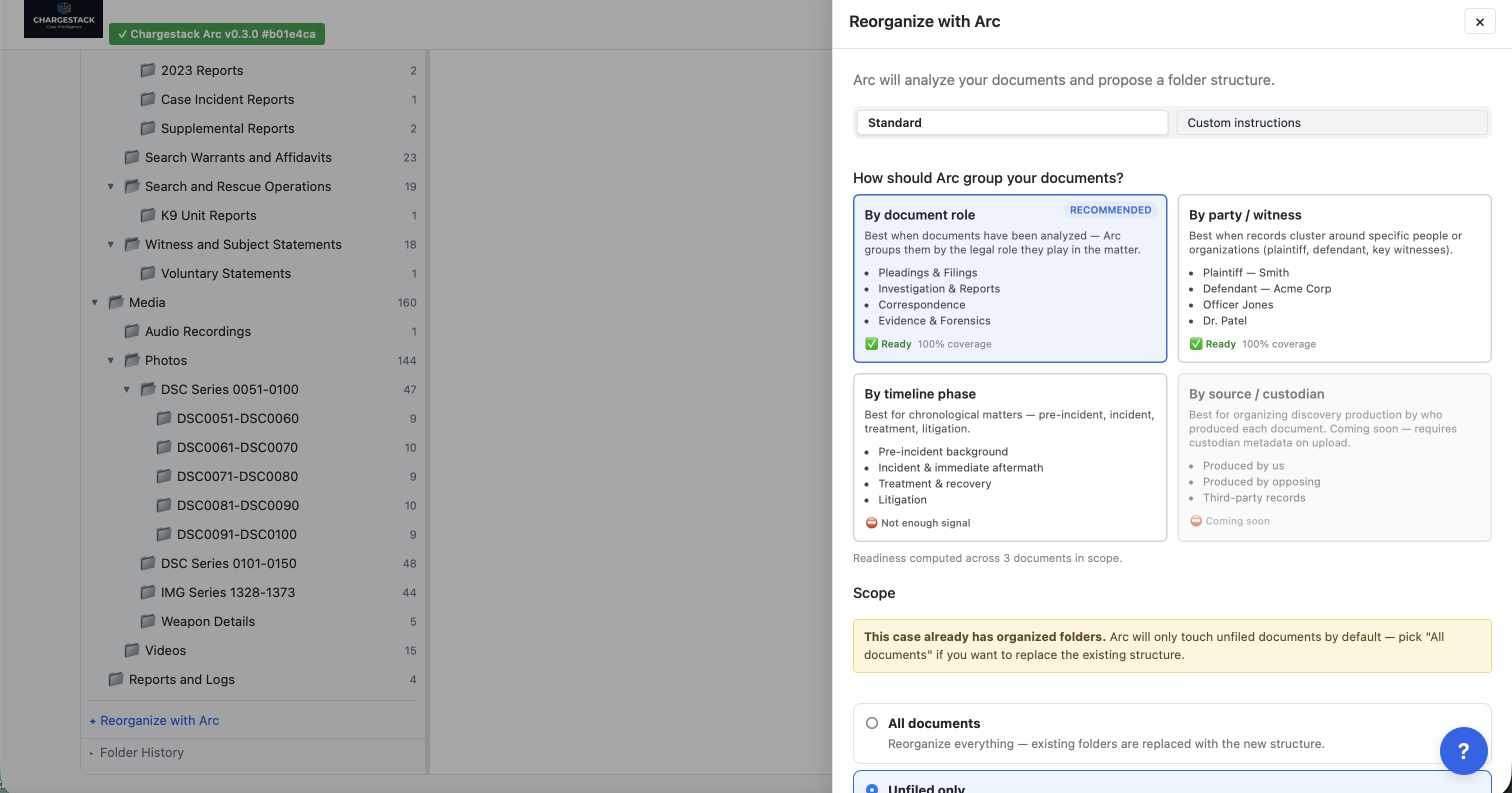
Every file, read and described.
Video, audio, image, or PDF — Arc explains what's in it. For video, it surfaces representative keyframes and writes a plain-English description of the scene. For audio, a full transcript with speaker turns. For PDFs, an OCR'd, searchable copy with a structured summary. All citable.
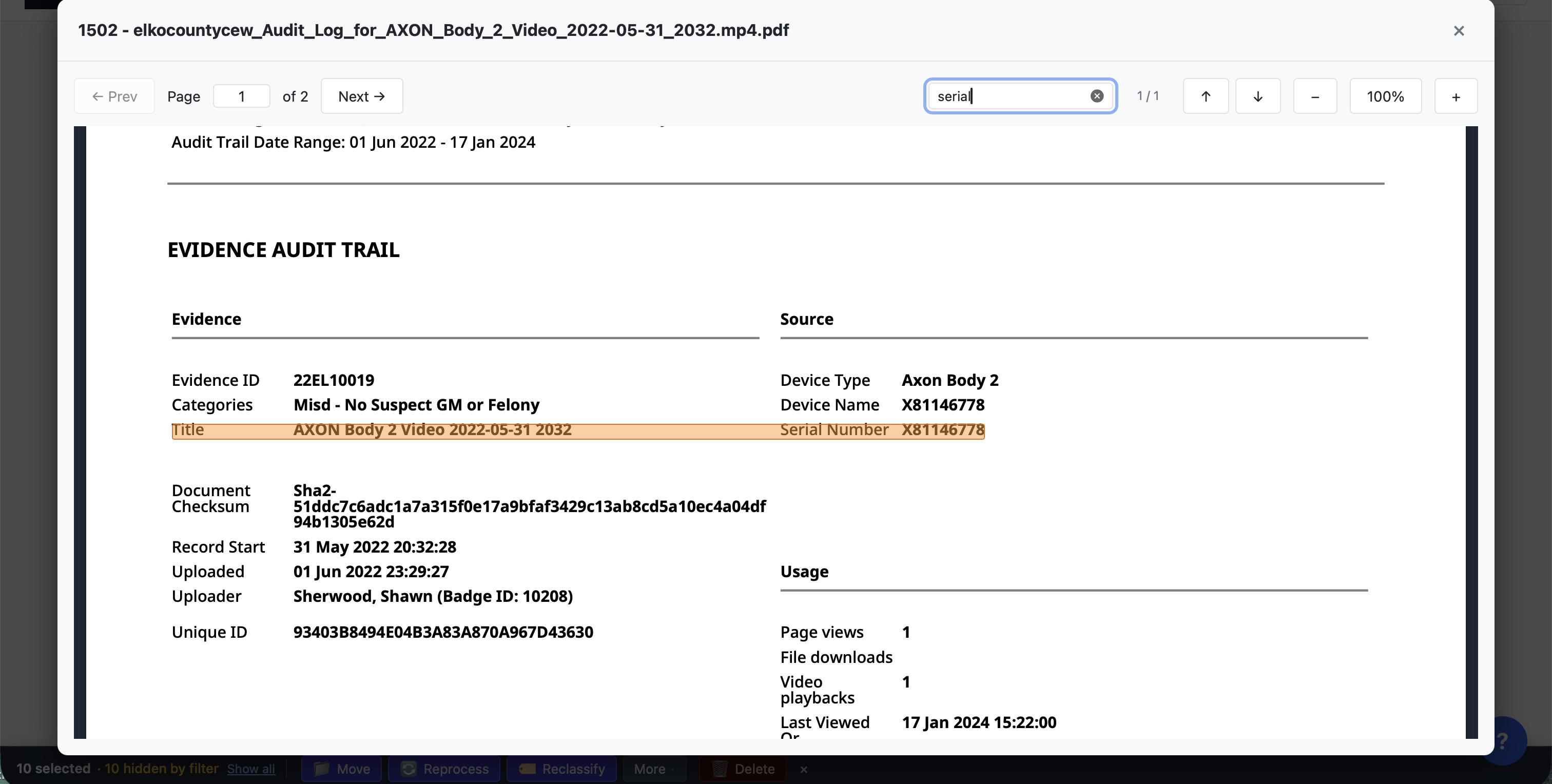
Open any document. Search inside it.
Click any file and read it where it lives — no download, no external viewer. Find the serial number on an evidence audit trail, the badge number on a body-cam log, the exhibit reference buried on page 47. Arc carries the search bar into every page it OCR'd.
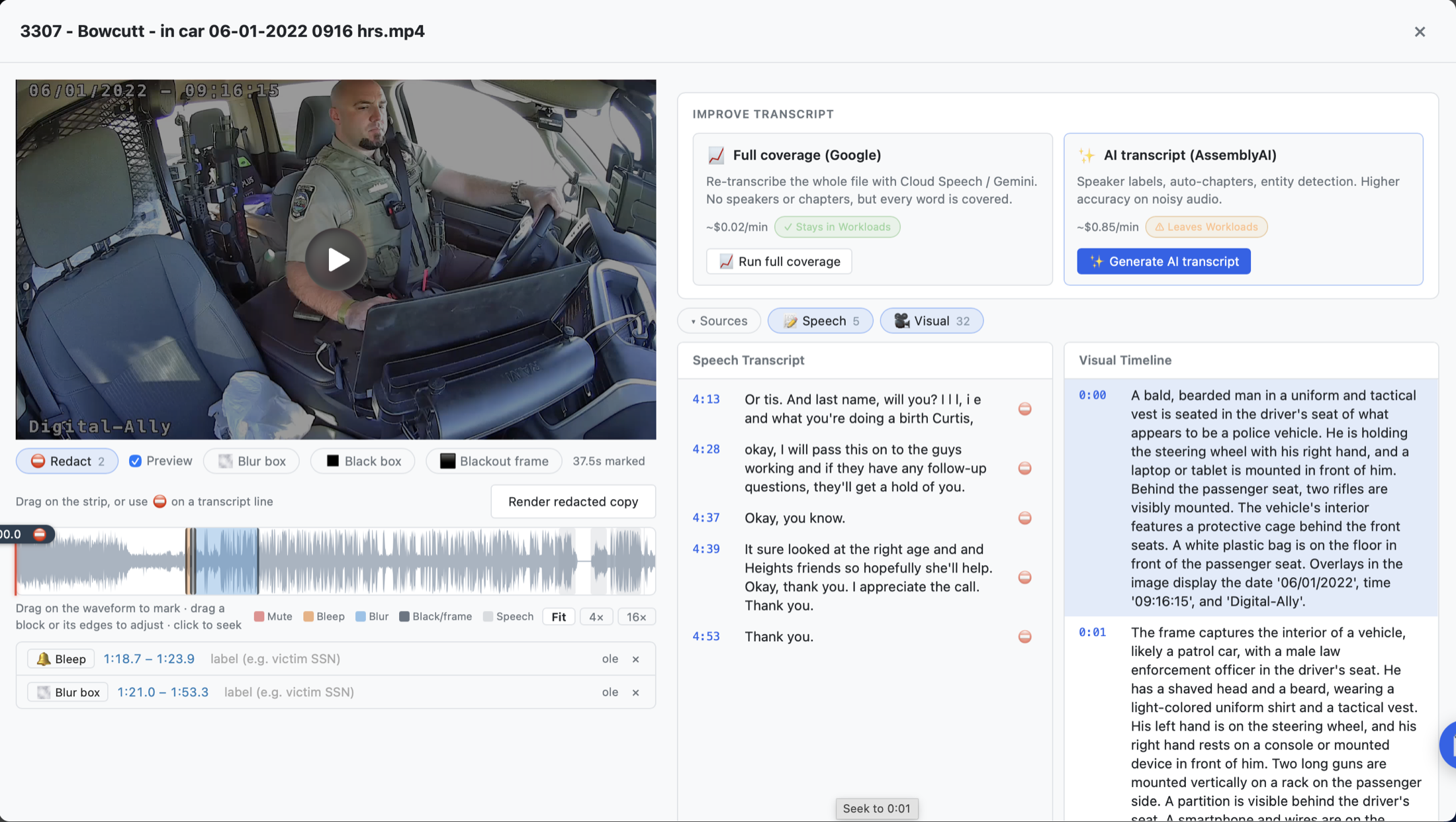
Redact what can't go out — and know it's really gone.
Open an audio or video file and mark what has to come out — drag on the waveform to mute or bleep a phrase, or pause on the frame and draw a box to blur or black out a face, a screen, an SSN. Arc renders a separate, production-ready copy with the content genuinely removed — audio truly silenced, video truly black — and re-checks its own output, so a redaction can never quietly fail. Your original file is never touched.
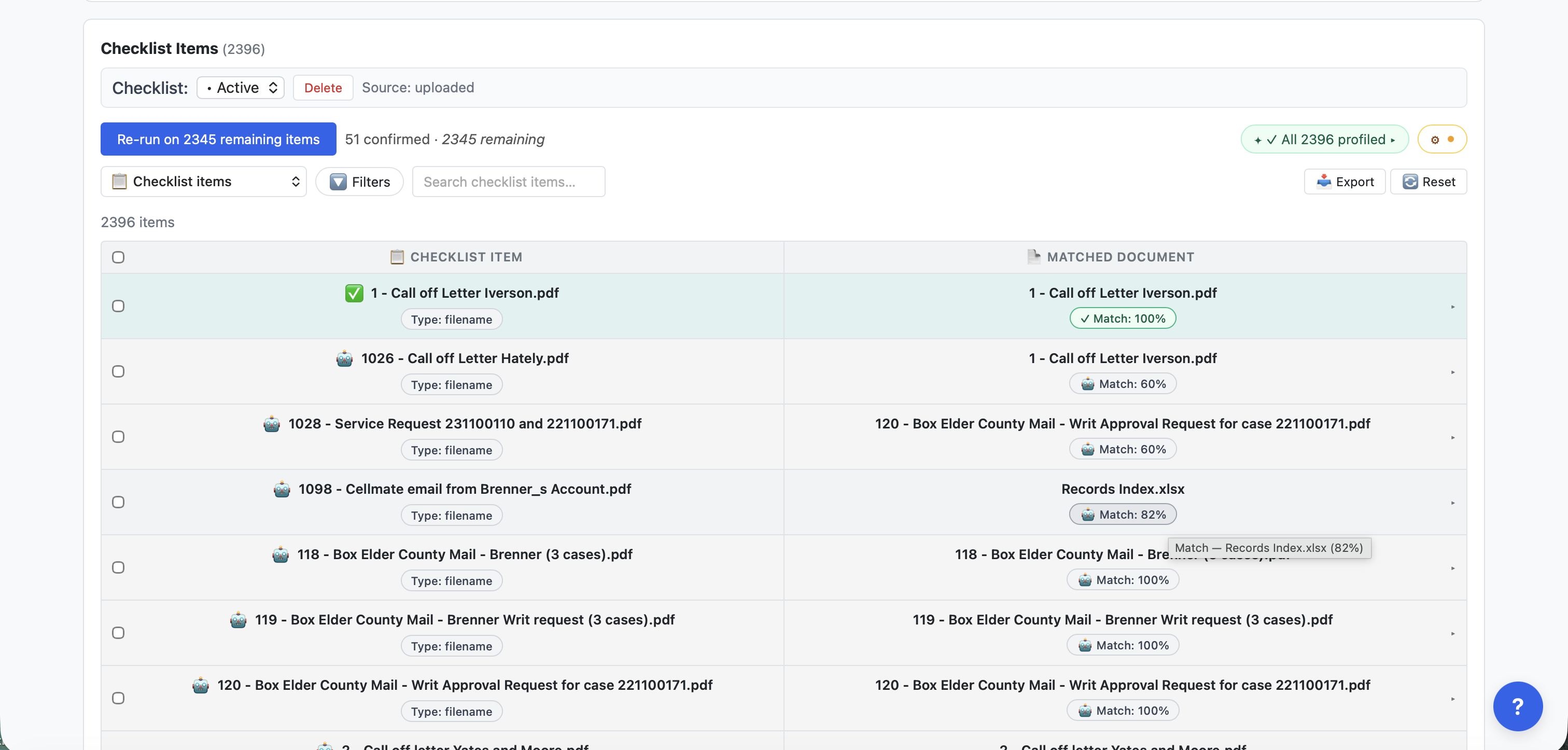
Find what's missing.
Upload your discovery checklist. Arc matches what you have against what you should have — by filename, document type, entity, and narrative content. Surface the gaps before opposing counsel notices them.
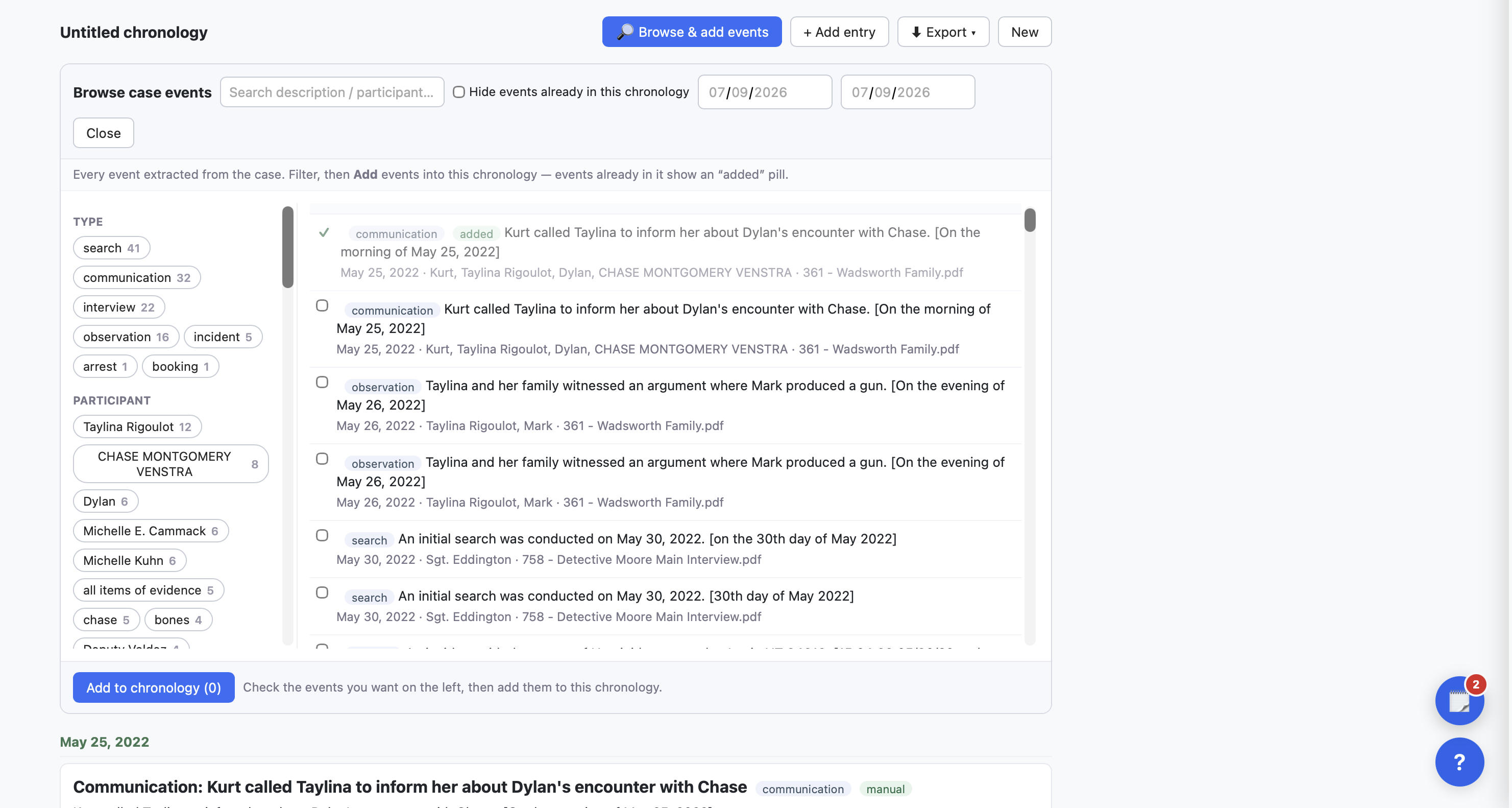
Build the timeline. Keep the citations.
Every dated event Arc extracted from the case — stops, interviews, searches, arrests — sits in one browser, filterable by type, participant, and date. Pick the events that matter, add your own by hand, and each entry keeps its link back to the source document. Export the finished chronology to Word, PDF, or spreadsheet.
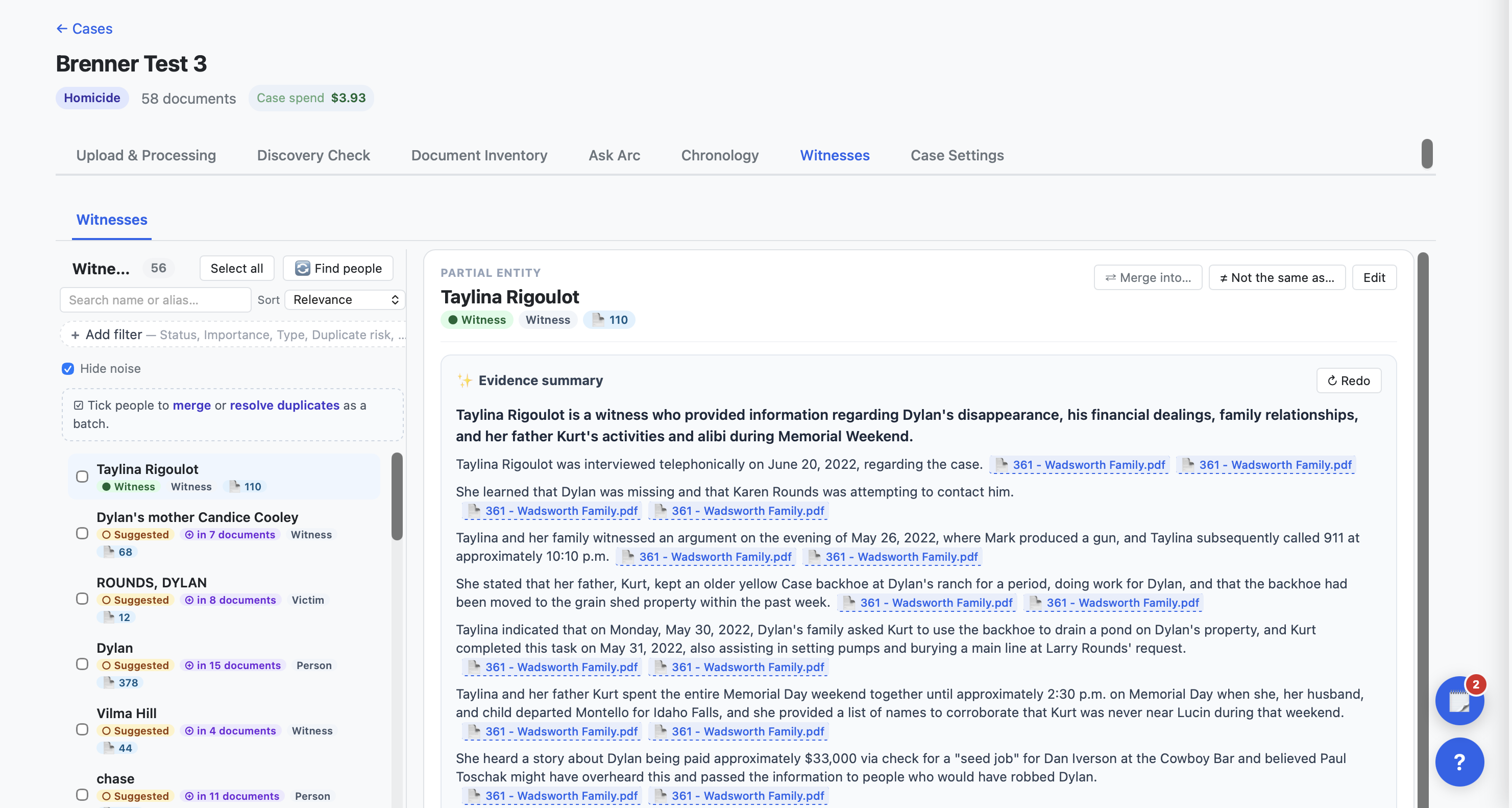
The who's-who of your case, assembled for you.
Arc gathers every person mentioned across your documents into one roster — resolving "Garcia," "Det. Garcia," and "the reporting officer" into one card — and ranks it so defendants, victims, and substantive witnesses rise to the top. Open anyone and see every reference, their statements, and an evidence summary, each claim one click from its source document.
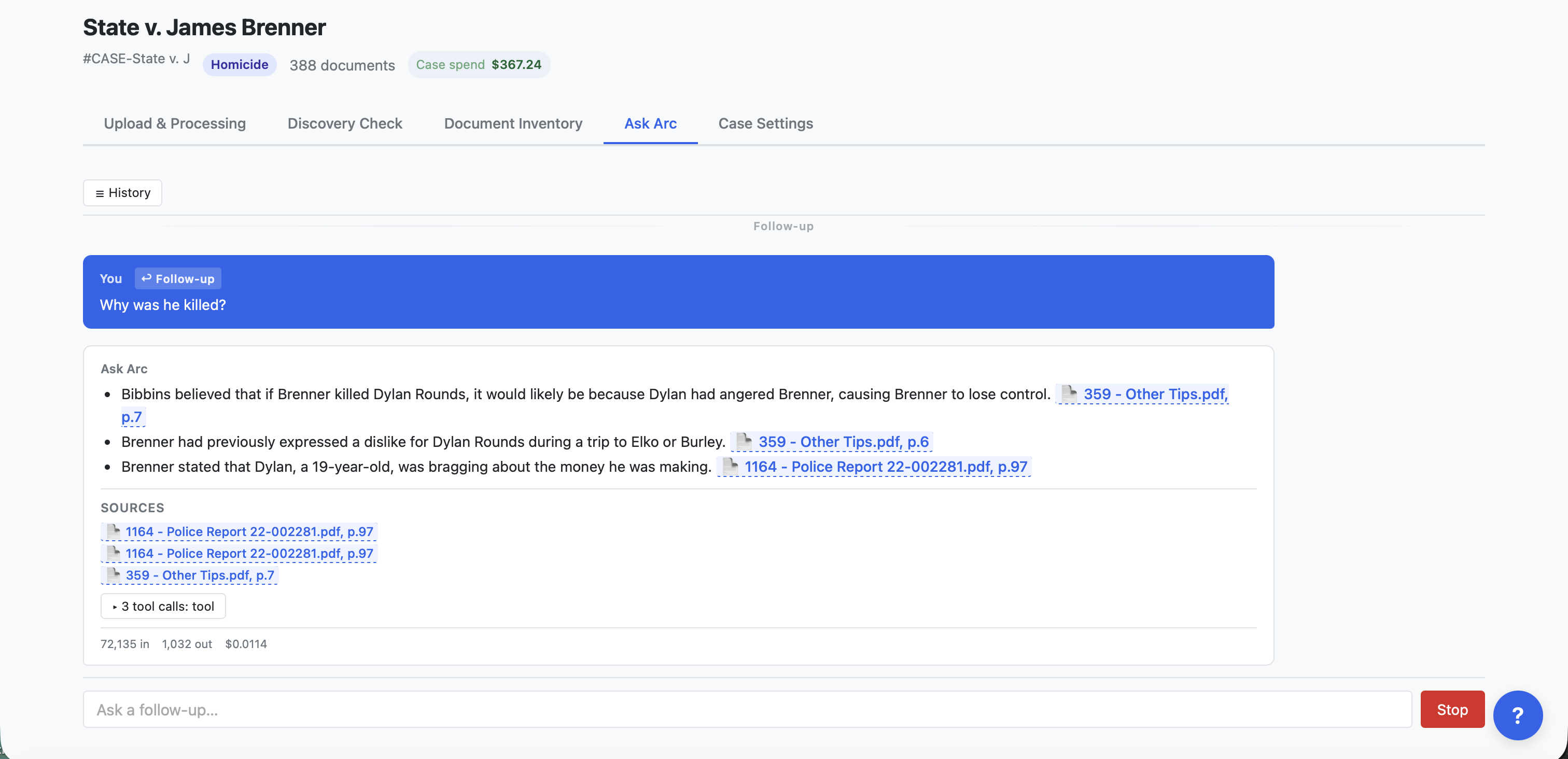
Ask in plain English. Get cited answers.
Type your question. Arc reasons across the file using semantic search and document summaries, then answers with inline citations to the specific files it drew from. Tool calls visible, sources listed, per-question cost shown — nothing hidden behind a chat bubble.
What do people actually get for this charge?
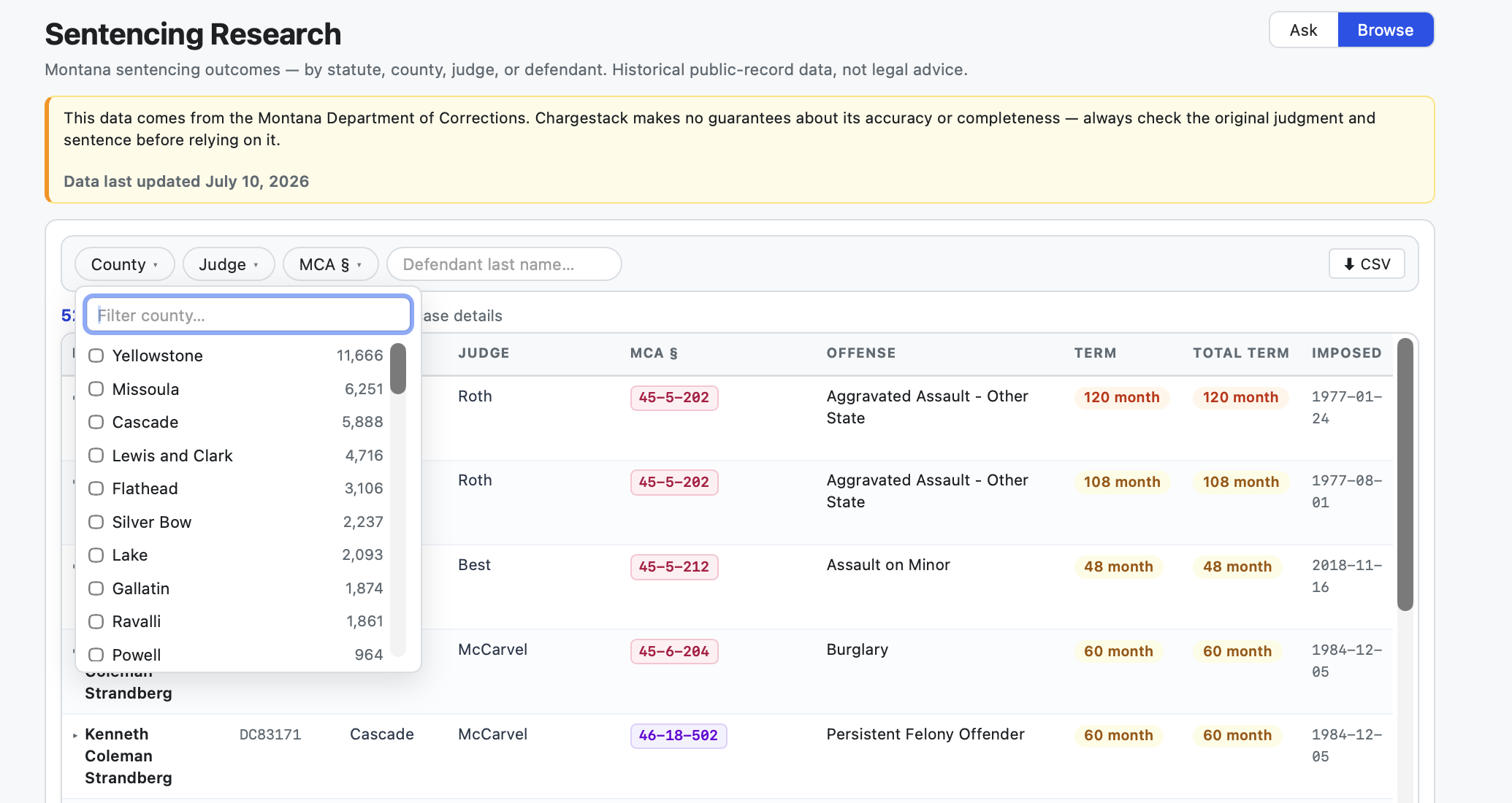
A research workspace over tens of thousands of historical Montana sentencing outcomes, built from public Department of Corrections records. Ask in plain English — "how has this judge sentenced this offense before?" — or browse and filter by statute, county, and judge, then drill into any docket and export the results. The same dataset answers sentencing questions inside any case's Arc chat. Historical context for research — not a prediction, not legal advice.
That's Arc.
From evidence to understanding, fast. Built by ChargeStack for criminal justice. Early access is open.